
Successfully log in and pay for a subscription on Social Trends Explorer
Step-by-Step Guide:
- Navigate to the sign-up page for Social Trends Explorer and click the Get Started button
-
Fill out the 'Create your account' form:
- Enter your email address, organization name, and create a password.
- Check the box to agree to the terms and conditions.
- Click "Create Account."
- Subscription prompt:
- To continue setting up your subscription account click "Subscribe now".

- To continue setting up your subscription account click "Subscribe now".
-
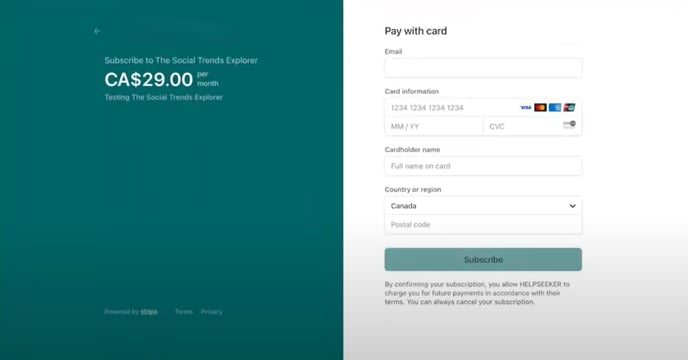
Enter payment information:
- Add your sign-up email and payment details.
- Click "Subscribe."
Check your inbox for a confirmation email.