![logo.png]](https://resources.helpseeker.org/hs-fs/hubfs/logo.png?height=50&name=logo.png)
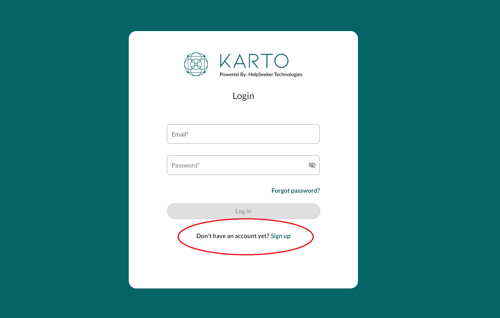
1. Access the Sign-Up page
- Go to Karto's homepage.
- Click on the 'Sign-up' link located at the bottom of the login page
2. Enter account details
- Enter a valid email address that will be used for your account, and create a password
Please Note: your password must meet the following criteria:.png?width=580&height=74&name=image%20(14).png)
3. Agree to Terms and Conditions
- Check the box to agree to Karto's Terms of Service and Privacy Policy.
4. Complete your profile
- Enter the required details in the provided fields and choose your province from the dropdown menu.
5. Finalize account creation
- Click on the 'Create Account' button.
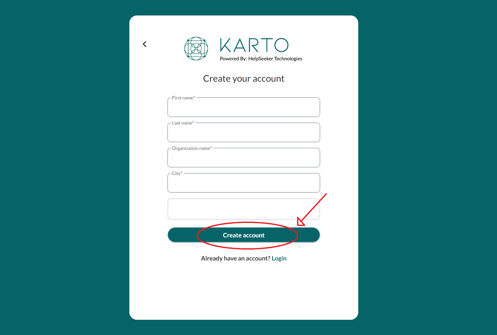
Upon successful registration, you will be automatically logged into your account.