![logo.png]](https://resources.helpseeker.org/hs-fs/hubfs/logo.png?height=50&name=logo.png)
Initiate Password Reset
- Navigate to the Karto login page.
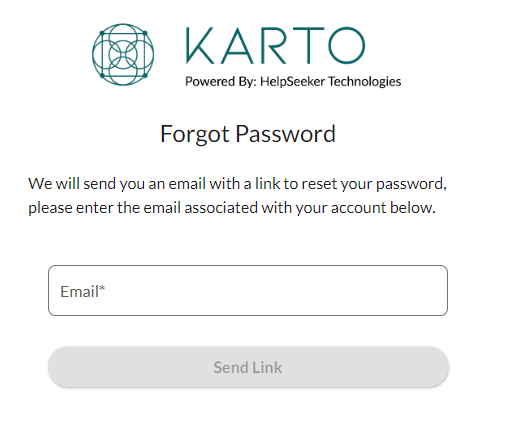
- Click on the "Forgot Password?" link.
- Enter the email address you used to register your account.
Error Notification: If you enter an email that hasn’t been registered or mistype the email, a banner will appear at the bottom of the page informing you of the mistake.
Check Your Email
- You will see a message confirming that an email has been sent to your address.
- Open the email from and follow the link to reset your password.
Reset Your Password
- Enter a new password and confirm it by re-entering it in the provided fields.
Ensure your new password meets Karto’s security requirements.
! @ $ % & * are the only special characters allowed any others will result in an error
Confirmation and Login
- Once your password has been successfully reset, a confirmation will be displayed on your screen.
- Click "Continue" and log in using your email and the newly created password.
Error Notification: If there is an issue with logging in, a banner will notify you of an error at the bottom of the webpage.